When someone lands on your website, they’re looking for answers, and that’s where small business website FAQs come in. Visitors don’t just want to know what you do or how much it might cost. They’re also wondering how your process works, whether you’re the right fit, and what happens if they take the next step.
Having clear answers to these questions helps people feel more confident about spending money, booking an appointment, or even simply sharing their contact information. Small business website FAQs step in at just the right moment to provide that clarity.
In this article, we’ll walk through how the FAQs on a small business website can reduce confusion, build trust, support SEO, improve the user experience, and save you from answering the same questions over and over again.
What Is an FAQ Section?
An FAQ section, or “Frequently Asked Questions” section, is a place on your website where you answer the common questions customers ask before they buy, book, call, email, or visit.
It doesn’t need to be complicated. In fact, it shouldn’t be. The best FAQs are clear, direct, and written in a way that sounds like a real person is answering.
Your website FAQ section might answer questions like:
- What services do you offer?
- How much does it cost?
- What areas do you serve?
- How do I book?
- How long does the process take?
- Do you offer consultations?
- What should I expect after I contact you?
- What’s included?
- What’s your cancellation policy?
FAQs can live on a dedicated FAQ page, but they don’t have to. You can also add FAQ sections to service pages, product pages, pricing pages, contact pages, or anywhere visitors may need a little extra reassurance before moving forward.
Think of FAQs as helpful little signposts throughout your website. They keep people from wandering around confused, which is always a win.
FAQs Help Customers Feel More Confident
One of the biggest reasons every small business website needs FAQs is that unanswered questions create hesitation. A visitor may love your service. They may like your style. They may even be ready to contact you. But if they’re unsure about pricing, timing, availability, or what happens next, they may pause. And on the internet, a pause quickly becomes a closed tab.
People are doing more research before they make decisions. Google reported that 60% of consumers take six or more actions before deciding to buy a brand or product that’s new to them. Those actions include searching online for reviews and information, visiting a brand’s website, and checking return policies.
In other words, your website is part of your customer’s decision-making process whether you’re actively guiding that process or not.
FAQs help by giving people the clarity they’re already looking for. For example:
- A home cleaning company could answer whether they bring their own supplies.
- A contractor might explain how estimates work.
- A salon can clarify which service a new client should book.
- A photographer can describe what happens after a session is scheduled.
FAQs Save You Time
Small business owners wear a lot of hats. Owner, marketer, scheduler, customer service team (occasional plumber or printer repair technician). If you’re constantly answering the same questions in emails, phone calls, texts, and DMs, your website FAQs will take some of that off your plate.
A well-written FAQ section gives people a place to find basic information before they contact you. That doesn’t mean you’ll never answer questions again. It means the people who do reach out are often more informed and closer to making a decision.
FAQs Improve the Website User Experience
Effective small business web design doesn’t mean simply making a website look nice. It also means making the website easy to use. A beautiful website can still be frustrating if visitors can’t find what they need. An FAQ section improves website user experience by placing helpful answers near the moments when people are making decisions.
For example, FAQs are especially useful:
- Near pricing information
- At the bottom of service pages
- On product pages
- Near contact forms
- On booking pages
- During checkout
- On a dedicated FAQ page
Let’s say someone is looking at your service page and thinking, “This sounds great, but do they work with businesses my size?” If the answer is right there in the FAQ section, they don’t have to go hunting for it. That keeps them moving forward instead of getting stuck.
And for e-commerce businesses, this can be especially important. Baymard Institute’s research shows that the average documented online shopping cart abandonment rate is 70.22%. Of course, people abandon carts for many reasons, but confusion around shipping, returns, product details, or policies certainly doesn’t help. A helpful FAQ section can answer some of those questions before they become reasons to leave.

FAQs Support SEO
FAQs are also good for SEO because people often search in question form.
They don’t just type “landscaper Gilbertsville” and call it a day. They search things like:
- How much does landscaping cost?
- How often should I schedule lawn maintenance?
- Do I need a website for my small business?
- What should be included on a service page?
- How long does a home renovation take?
- Do salons charge for missed appointments?
When you answer real customer questions on your website, you naturally include keywords and phrases your audience may already be searching for. That can help search engines better understand what your business does, who you serve, and what information your website provides. That makes FAQs a smart part of your website content strategy.
That said, FAQs should always be written for people first. SEO is the bonus, not the whole personality. Nobody wants to read an answer that sounds like it was written by a robot and overstuffed it with keywords. Good FAQ answers are clear, helpful, and natural. Use the words your customers use. Answer the question directly. Link to related pages when it makes sense. Keep it simple.
FAQs Help Address Objections
Many customer questions are really concerns in disguise:
- When someone asks, “How much does it cost?” they may really be wondering, “Can I afford this?”
- When someone asks, “How long does it take?” they may mean, “Will this fit my schedule?”
- When someone asks, “Do you work with businesses like mine?” they’re probably asking, “Am I in the right place?”
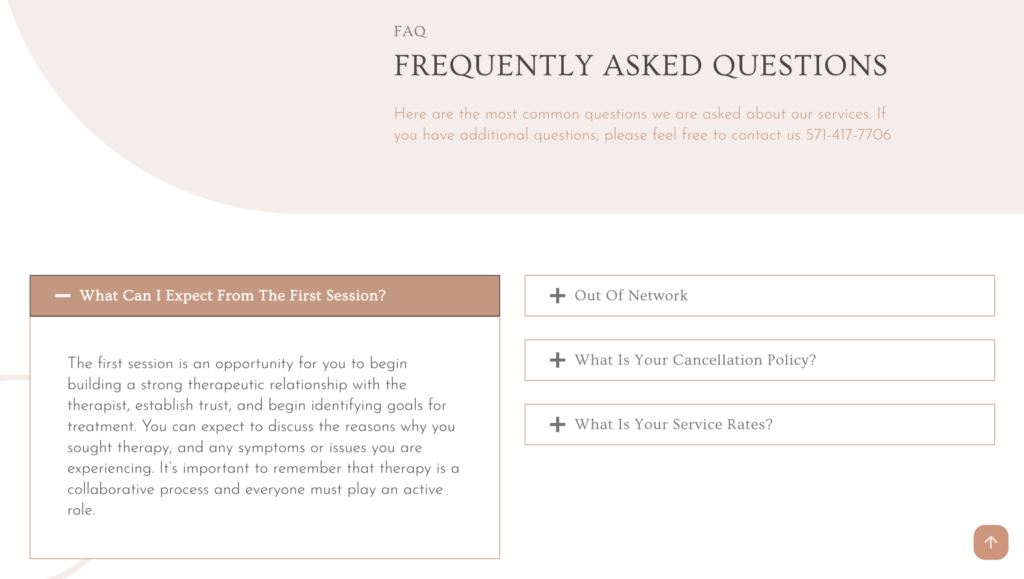
A thoughtful FAQ section can gently address those concerns before they become roadblocks. For example, a therapist might include a question like, “What if I’m nervous about starting therapy?” The answer can reassure visitors that it’s completely normal to feel unsure and that the first session is simply a chance to talk, ask questions, and see if it feels like a good fit. That kind of reassurance can ease anxiety and make it easier for someone to take that first step.
FAQs Build Trust Through Transparency
Trust is huge for small businesses. Unlike big national brands, small businesses rely on personal connection, reputation, referrals, and community trust. Your website needs to support that. FAQs help because they show that you understand your customers’ concerns and you’re willing to answer them upfront.
Forrester has reported that 53% of U.S. online adults are likely to abandon an online purchase if they can’t find a quick answer to their question, and 73% say valuing their time is the most important thing a company can do to provide good online customer service.
That’s a pretty clear reminder that people don’t want to dig, guess, or wait around for basic information. Transparency doesn’t mean you have to share every tiny detail of your business. You don’t need to publish your entire operations manual or explain where the emergency snacks are hidden. But, you should answer the questions that matter most to your customers.
Things like:
- What happens after I submit the form?
- How soon will I hear back?
- Do you require a deposit?
- What’s included in the service?
- Do you offer refunds or revisions?
- What areas do you serve?
- What if I’m not sure what I need yet?
Clear answers make your business feel more approachable and professional. They also help set expectations early, which can make the whole customer experience smoother.
What Questions Should Your Small Business Website Include?
The best place to start is with the questions people already ask you. Look through your emails, contact forms, DMs, sales calls, consultation notes, and customer conversations. The questions are probably already there.
A strong small business website FAQ section often includes questions about:
- Services: What do you offer? Who is it for? What’s included? What’s not included?
- Pricing: Do you list pricing? Do you offer custom quotes? Is there a starting price? Are payment plans available?
- Process: How do people get started? What happens after they contact you? How long does the process take? What do they need to provide?
- Policies: Do you require a deposit? What’s your cancellation policy? Do you offer refunds, returns, revisions, or rescheduling?
- Location and Availability: What areas do you serve? Do you offer virtual services?
You don’t have to answer everything all at once. Start with the top five to ten questions customers ask most often. You can always add more later as your business grows and your services change.

Where Should FAQs Go on Your Website?
There’s no one perfect place for FAQs. The best option depends on your business, your services, and how your website is structured. A dedicated FAQ page is helpful if you have a lot of general questions to answer. This works well for businesses with detailed processes, service policies, custom pricing, or educational content.
Service page FAQs are great when questions are specific to one service. For example, a cleaning company could add deep cleaning FAQs directly to the deep cleaning service page.
Product page FAQs are ideal for online stores. You can answer questions about sizing, materials, shipping, returns, product care, or how to use the item.
Contact page FAQs are helpful for last-minute reassurance. You can answer questions like, “How soon will I hear back?” or “What should I include in my message?”
Many websites benefit from using a mix of these options. The goal is to place answers where they’re most useful.
Tips for Writing Better FAQs
A helpful FAQ section doesn’t need to be fancy. It just needs to be clear.
Here are a few simple tips:
- Use real questions customers actually ask.
- Keep answers short, but helpful.
- Write in your natural brand voice.
- Avoid jargon.
- Link to related pages when it adds value.
- Update your FAQs when your services, pricing, or policies change.
- Don’t use FAQs to hide important information that belongs on your main service pages.
Most importantly, make your answers sound human. Your FAQ section should feel like a helpful conversation, not a legal document.
Make Your Website Easier to Say Yes To!
FAQs may seem like a small piece of your website, but they do a lot of heavy lifting. They answer customer questions, reduce confusion, build trust, support SEO, improve user experience, and make it easier for visitors to take the next step. For small business owners, they can also save time and help turn uncertain visitors into more confident leads.
If your website doesn’t have FAQs yet, start simple. Write down the questions you answer most often, group them by topic, and add clear answers where they make the most sense.
And if your website needs clearer content, better structure, or a more strategic FAQ section, Moonlit Media can help. From small business web design to website copy and marketing strategy, we’ll help you create a website that answers the right questions and makes it easier for customers to reach out. Contact us today to make your website more helpful, more polished, and a whole lot easier to say yes to.